🙋 Prefer we do it for you?
Most clients do. Book a 20-minute set-up call: you only sign in and add the company card, and we do everything else while you watch. No reading needed.
📅 Book the set-up callRather do it yourself? Follow the 7 steps below.
Why Azure?
Azure is Microsoft's cloud. It safely stores the tidy version of your business data (sales, stock, jobs) in a small database in London, and updates it automatically every morning. Your Power BI dashboard reads from it. Because it's your account, your data never leaves your control and you can switch our access off at any time.
Before you start
- Your work Microsoft login (the one for Outlook/Teams), ideally an account allowed to manage the company's Microsoft settings. Not sure? Ask whoever set up your email, or tell us.
- A company debit or credit card (Microsoft checks it; Azure is billed monthly by usage).
- Your mobile phone for a security code.
Sign in to Azure
- Open portal.azure.com on a computer (it's much easier than a phone).
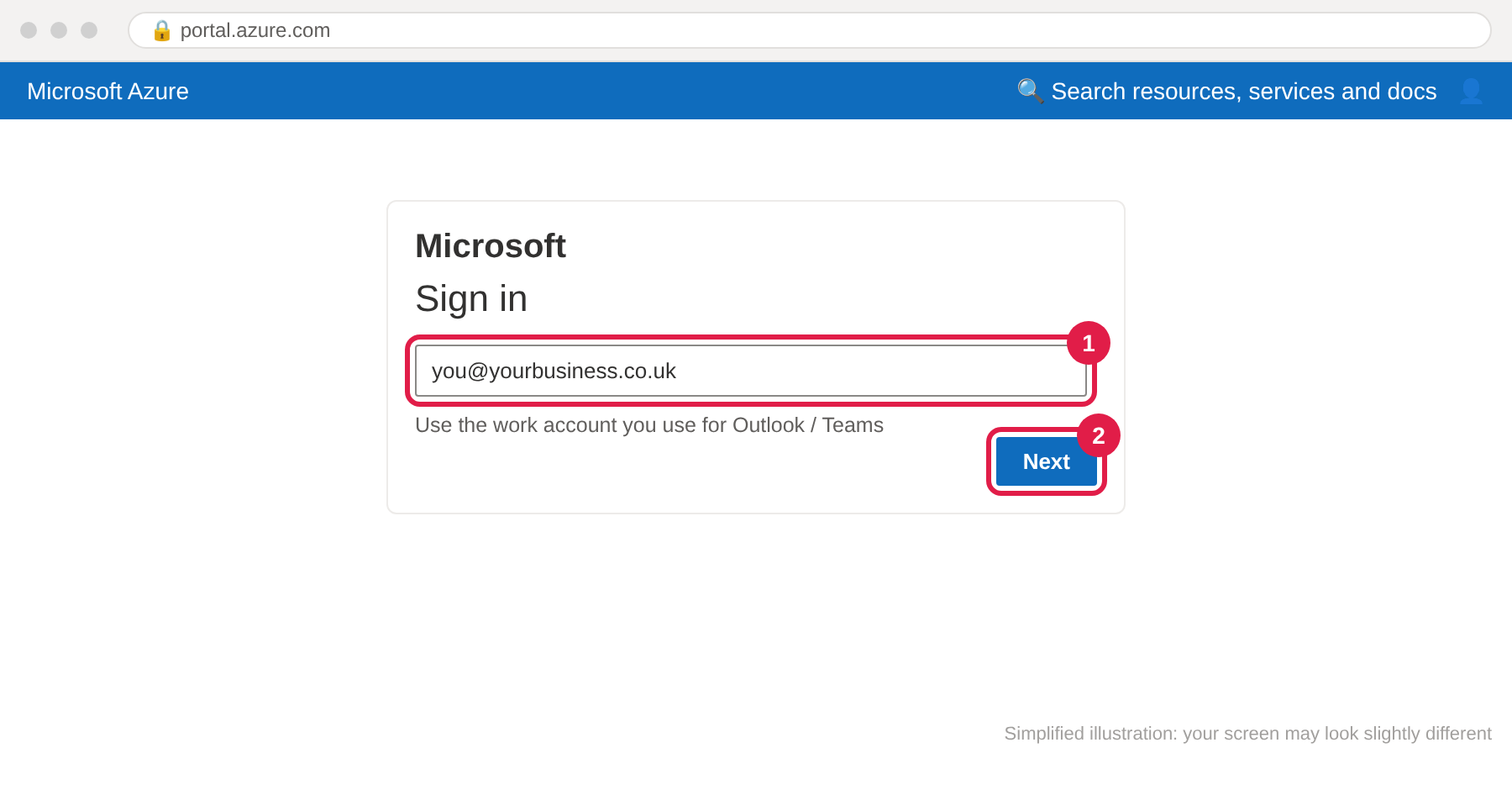
- Sign in with your work Microsoft account ①, then press Next ② and enter your password and the code from your phone.
Start your Azure subscription
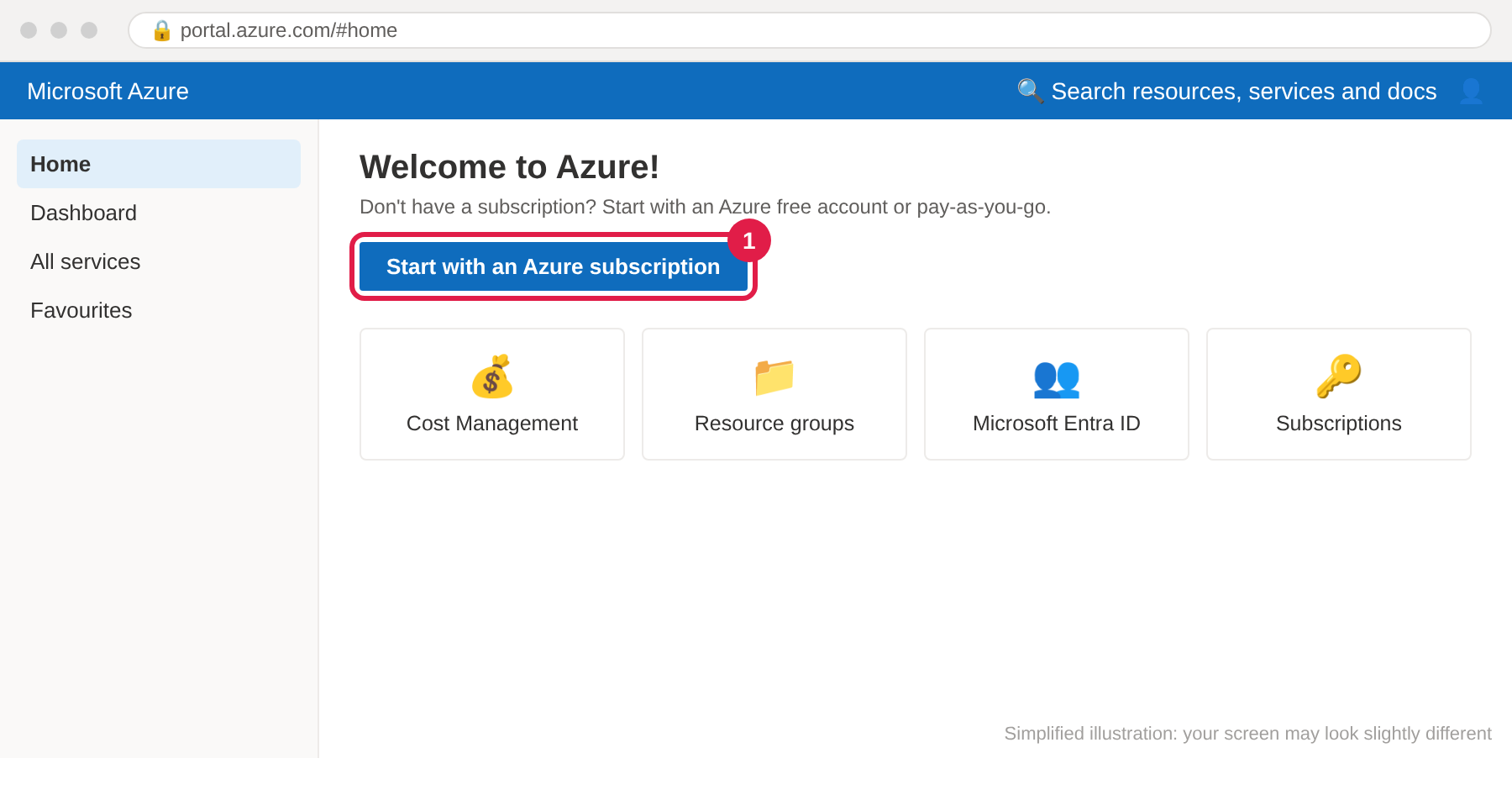
- On the Azure home page, click Start with an Azure subscription ① (or "Start free").
- Fill in your business name and address, verify your phone, and add the company card.
- Choose Pay-As-You-Go (you only pay for what's used). If Microsoft offers free credit for the first month, you can accept it.
Set a spending alert (important)
So there are never surprises on the bill:
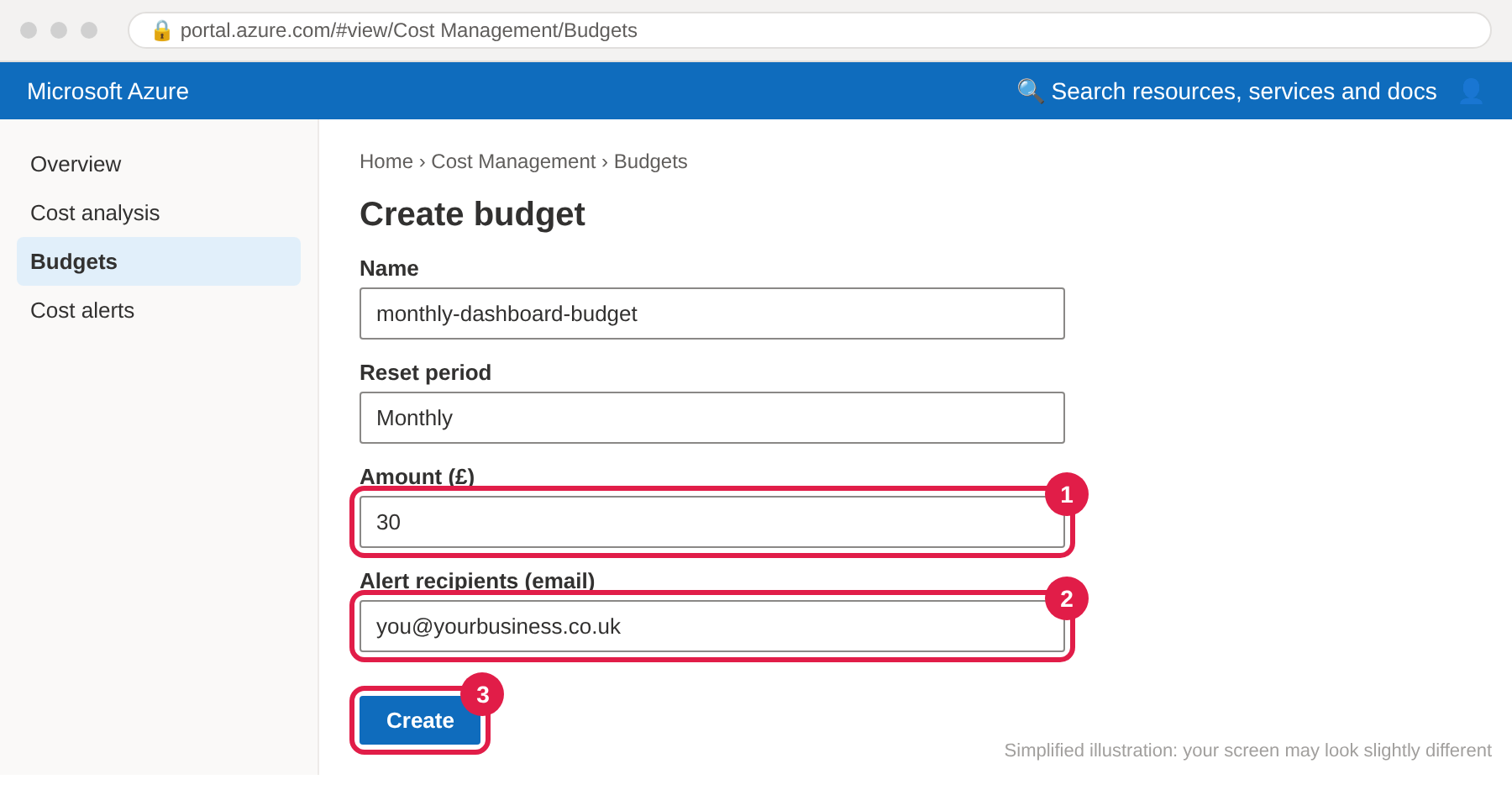
- In the search bar at the top type Cost Management, open it, then Budgets → + Add.
- Name it e.g.
monthly-dashboard-budget, period Monthly, amount £30 ①. - Add your email for the alerts ② (alerts at 80% and 100%), then Create ③.
Create a "folder" for the dashboard
Azure calls it a resource group. We'll only work inside this one.
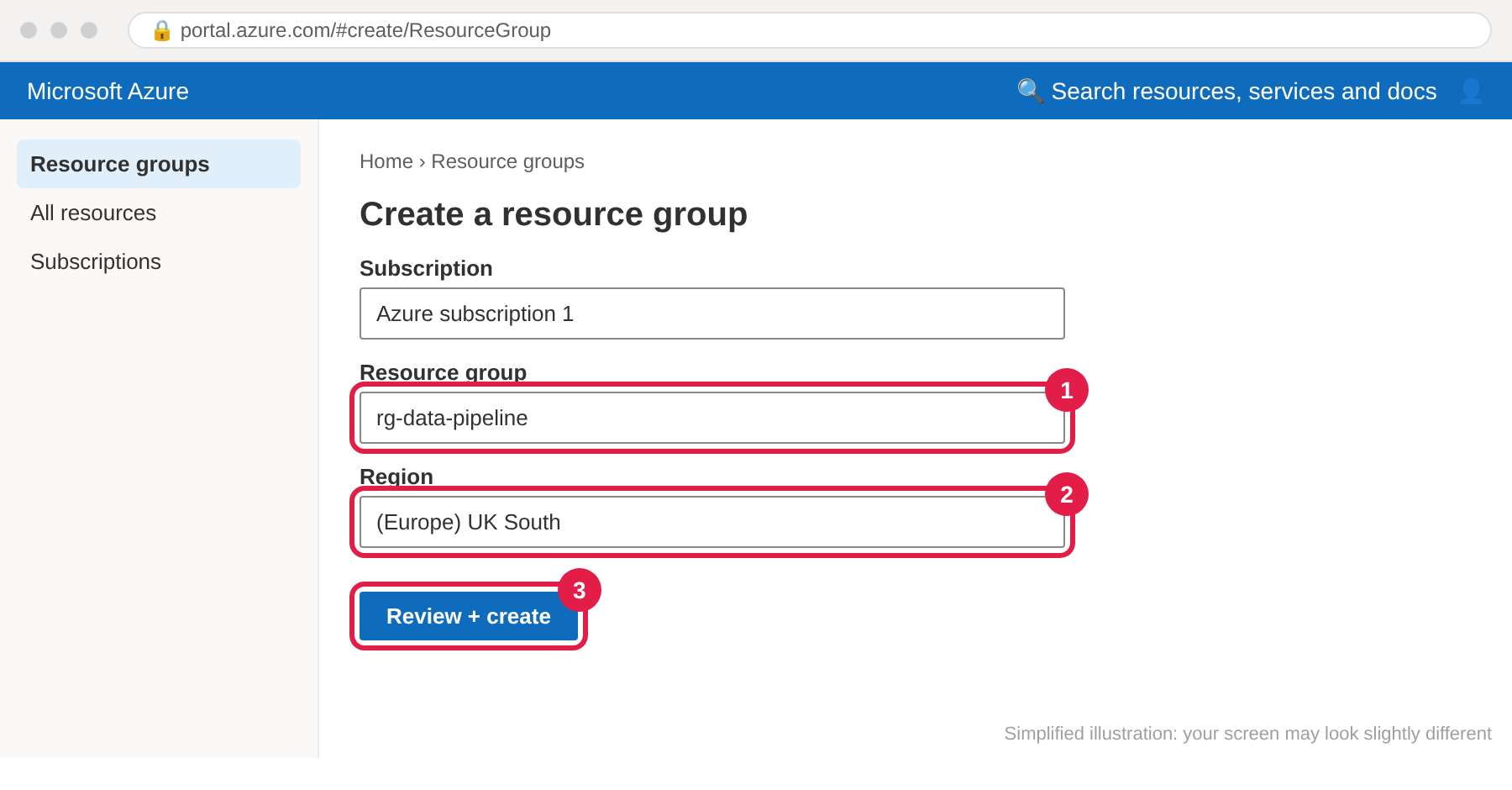
- Search Resource groups → + Create.
- Name:
rg-data-pipeline① - Region: (Europe) UK South ② (London, keeps your data in the UK)
- Review + create ③ → Create.
Invite Red Brick Data as a guest
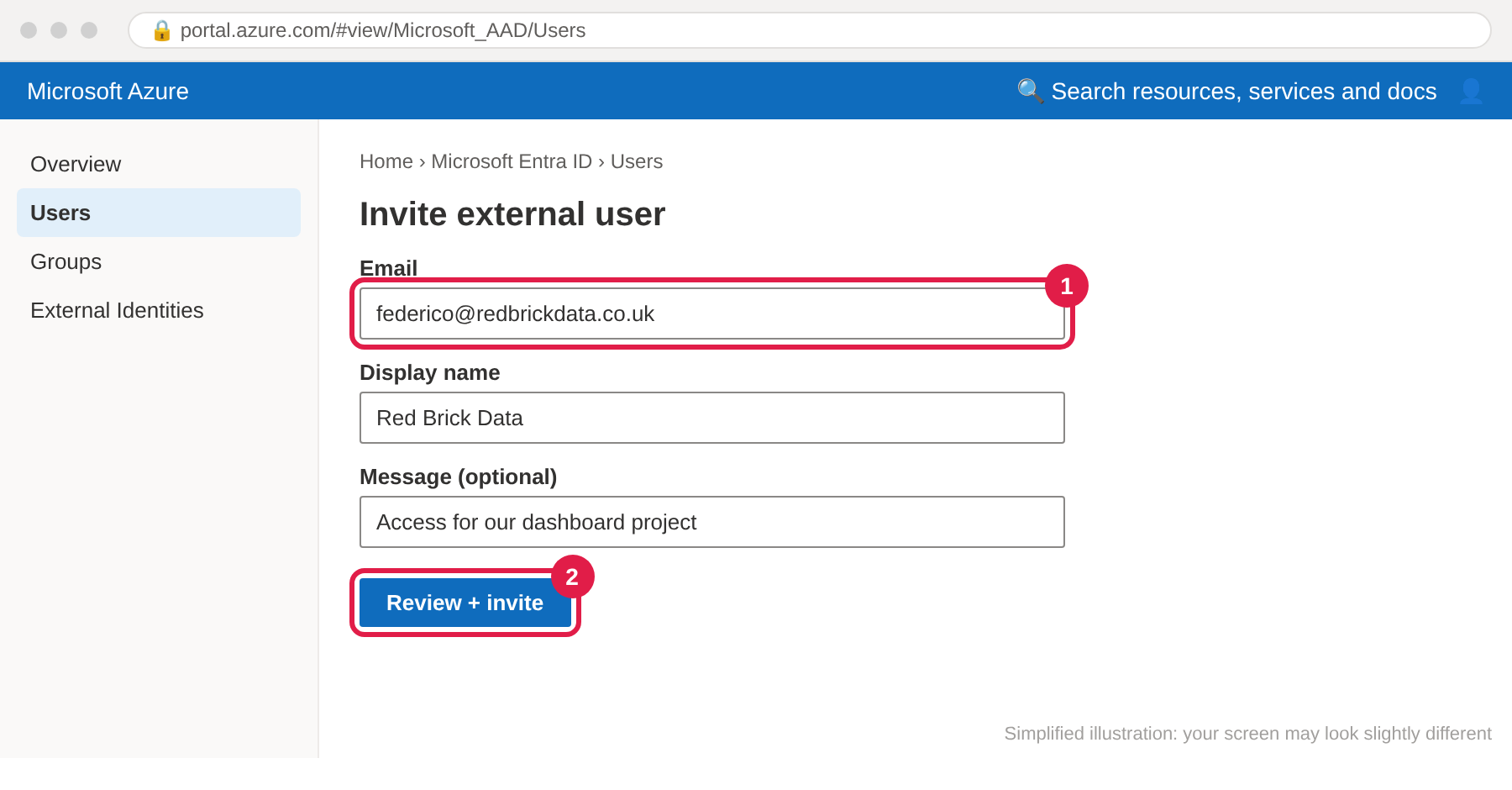
- Search Microsoft Entra ID (this is your company's list of users) → Users → + New user → Invite external user.
- Email:
[email protected]① - Review + invite ②. We'll accept the email invitation.
Give access to that folder only
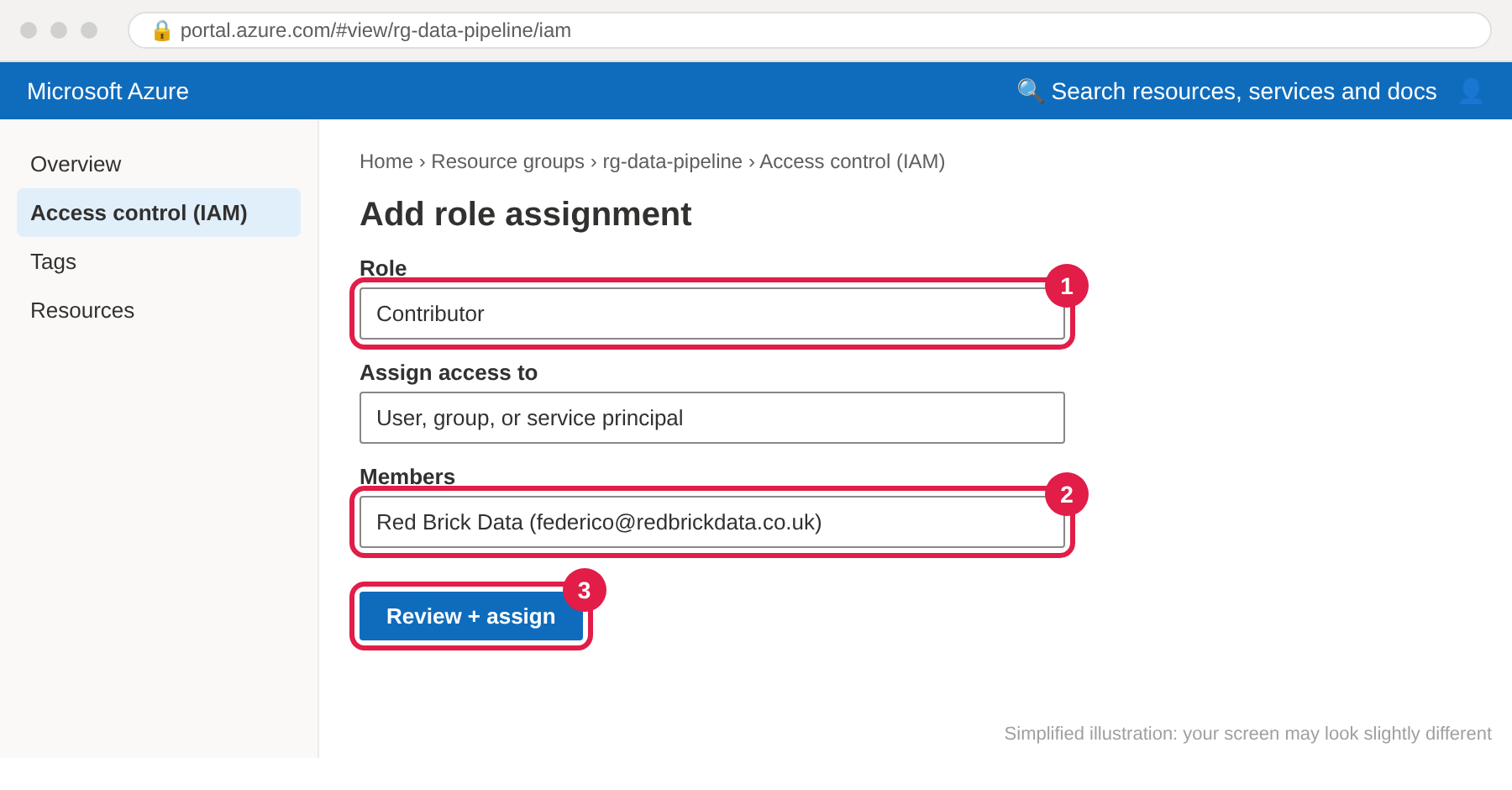
- Open Resource groups → rg-data-pipeline → Access control (IAM) → + Add → Add role assignment.
- Role: Contributor ①. This lets us build the database and the daily update in this folder.
- Members: select Red Brick Data ② → Review + assign ③.
Power BI (only if you already use it)
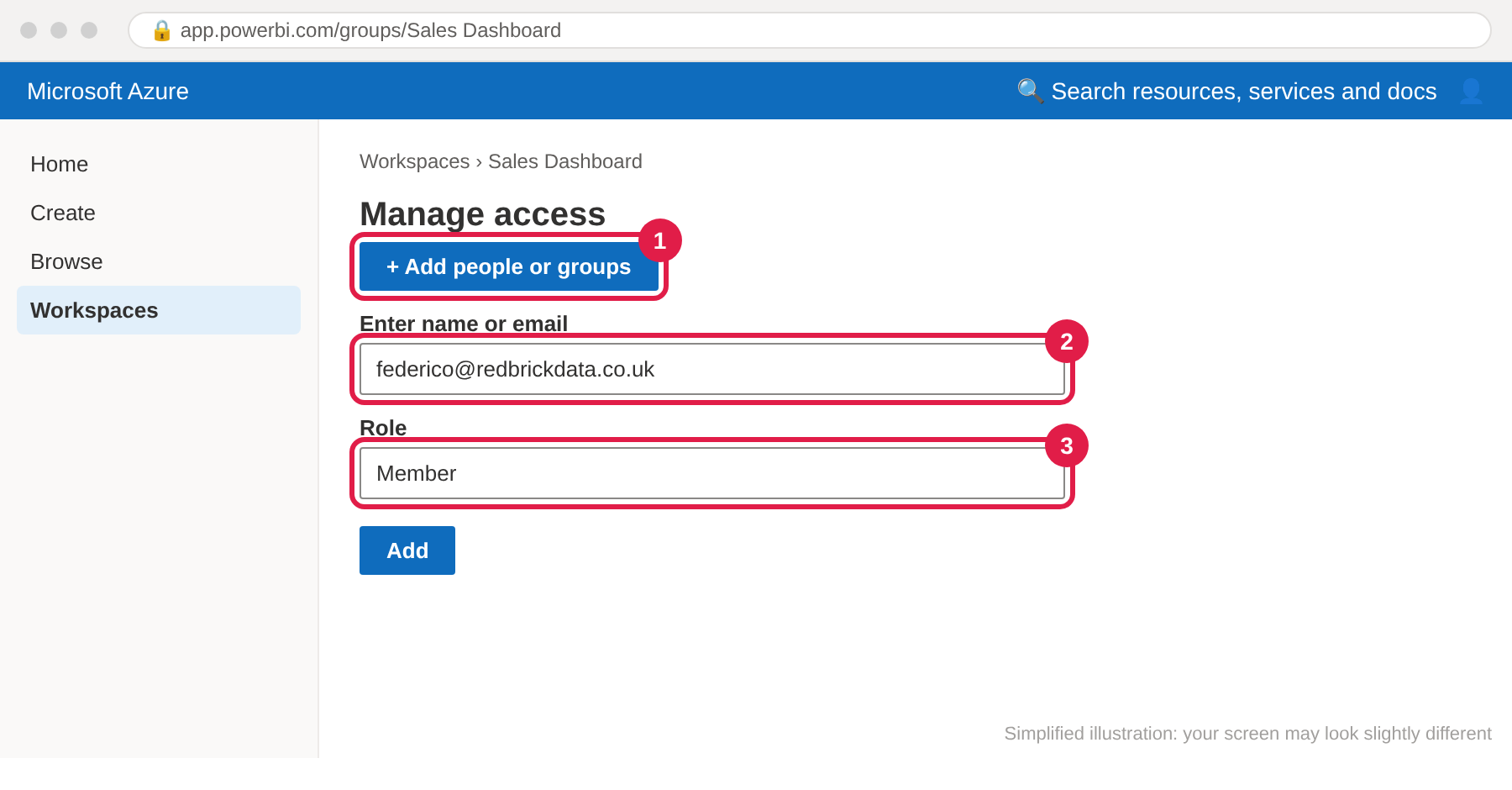
If you already have Power BI: open app.powerbi.com → Workspaces → create one called e.g. Sales Dashboard → Manage access ① → add [email protected] ② as Member ③.
Not using Power BI yet? Skip this: we'll set it up together and explain the licences first (Power BI Pro is about £10.80 per person per month, paid to Microsoft, only for people who view dashboards online).
✅ Done! Let us know
Email [email protected] to say it's done. We'll accept the invitation, check everything works and start building. Please don't send passwords or data files by email: with the access above we don't need them.
📅 Prefer to do it together? Book 30 minutes ✉️ Email usQuestions people ask
Is my data safe?
Your data stays in your Microsoft account in Microsoft's London data centre, protected by your company login and two-step security. We only get access to the one folder from step 4, and only for as long as we work together.
Who pays for Azure, and how much?
You pay Microsoft directly, monthly, for what's used. A typical small-business setup (a small database and a daily update) costs about £4–8 a month. Your £30 budget alert from step 3 warns you long before anything unexpected. Power BI licences, if needed, are separate (about £10.80 per viewer per month).
Can I see what it costs at any time?
Yes: Azure portal → Cost Management → Cost analysis shows the spend so far this month.
How do I remove your access later?
Open rg-data-pipeline → Access control (IAM), remove our role assignment, then remove the guest user in Microsoft Entra ID → Users. Everything we built keeps working: it's yours.
We have an IT company. Should they do this?
Yes, that's often easiest. Send them this page, or copy them into our emails and we'll agree it with them directly.
We don't use Microsoft at all.
You can create an Azure account with your business email (see the tip at the top), or we can host it for you for a small monthly fee, agreed in writing. We'll explain both options on a call.